


How Car Share works
Sign in with your phone number. Register as a driver if you have a car. Then find a ride, or offer your spare seats. Here is each part, step by step.
Sign in with your phone number.
There is no password and no email. The same screen signs you in and creates your account, so you never have to choose between the two.
Step 1
Get the app
Download Car Share from Google Play or the App Store and open it. A three-slide intro explains the idea. You can skip it.
Step 2
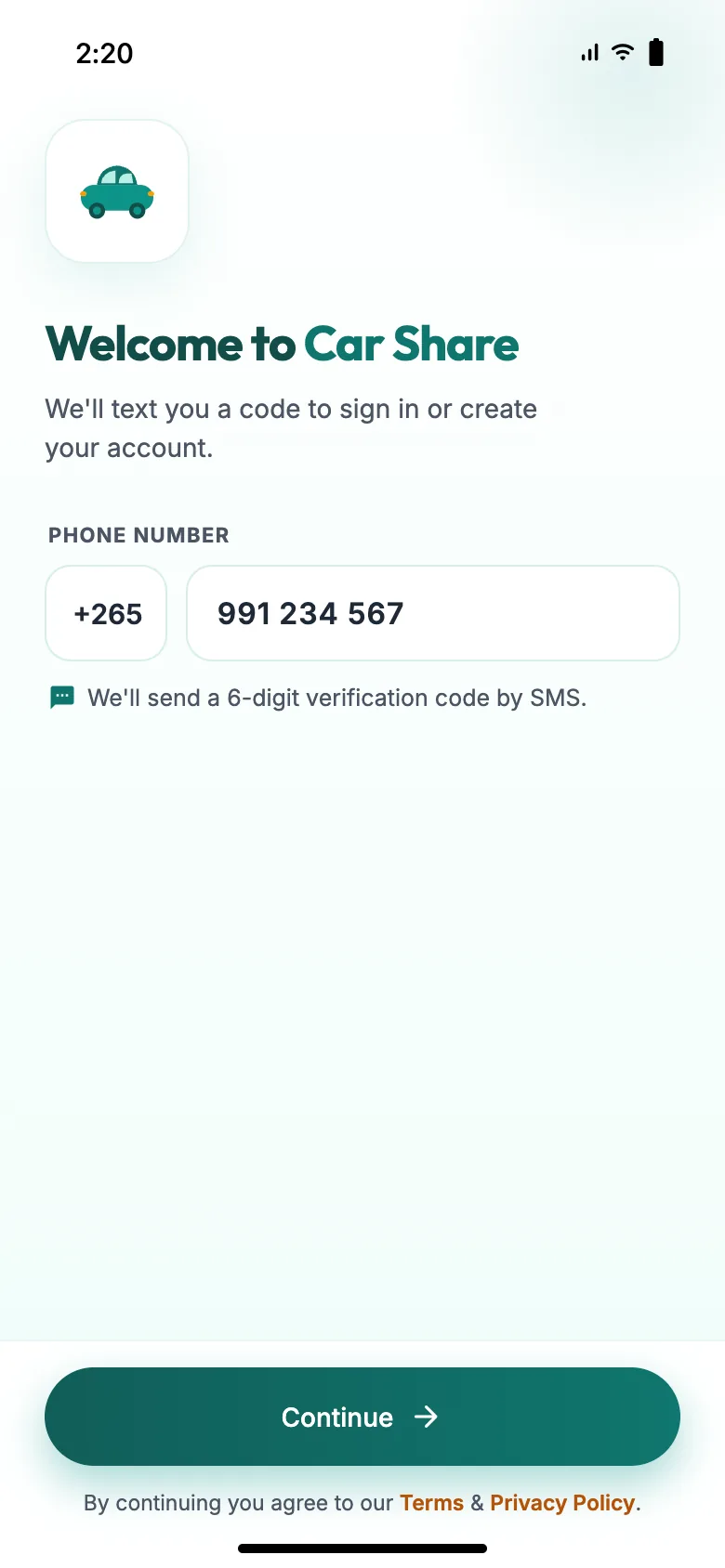
Enter your phone number
Your country code is filled in for you. Type your mobile number and tap Continue. It is the same whether you are new or coming back.
Step 3
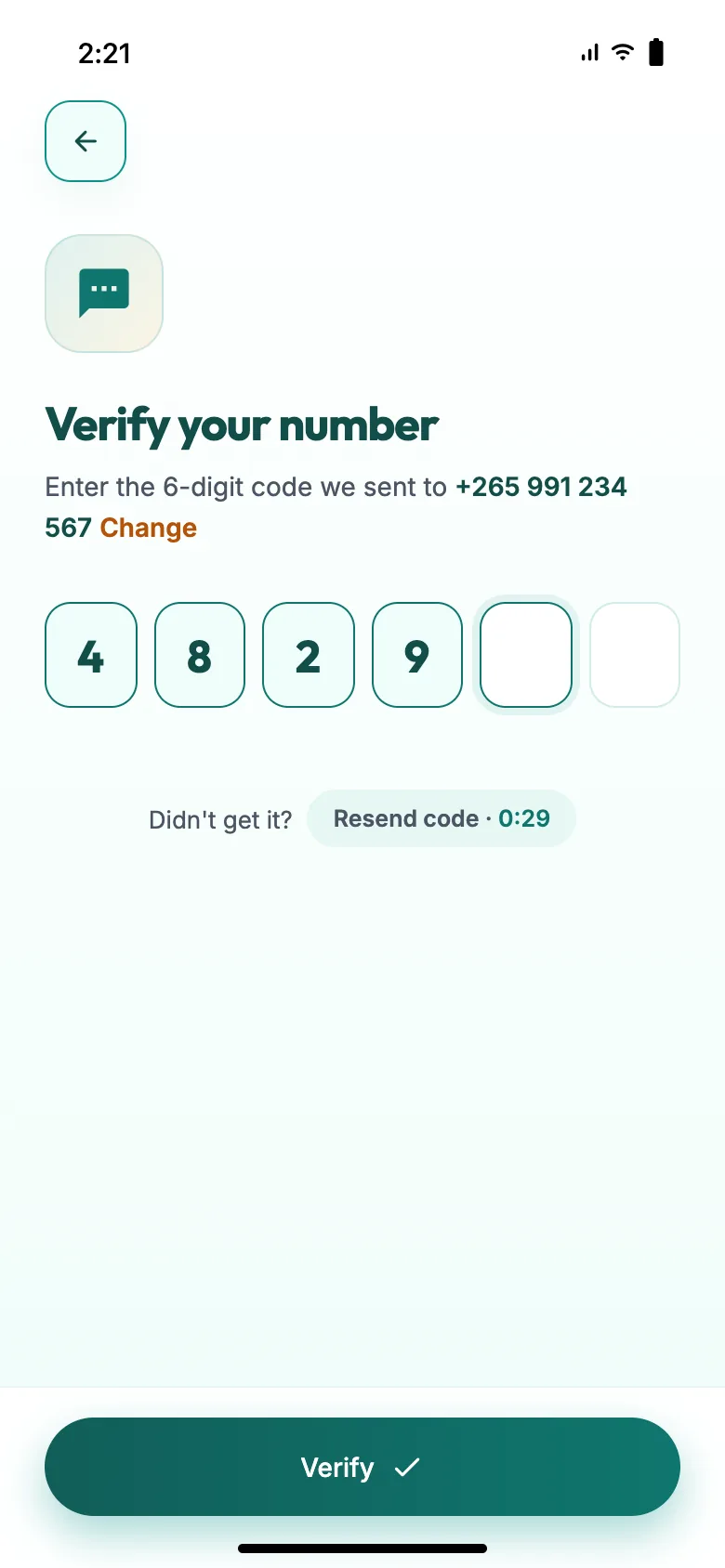
Type the 6-digit code
We text a code to that number. Enter it and tap Verify. If it doesn’t arrive, you can ask for a new one after 30 seconds.
Step 4 · first time only
Set up your profile
Add your full name and a clear face photo. Gender is optional and only used for women-only matching. Other people see your first name and last initial, such as Thandiwe M.
Step 5 · first time only
Choose your permissions
Location matches rides near you. Notifications bring booking updates and safety alerts. Contacts lets you pick trusted contacts for Be Safe. None is required, and you can change them later in Settings.
Step 6
You’re in
You land on Discover, where rides near you are listed. A verified phone number is all you need to browse, book a seat, post a ride request and chat.
Good to know
- Signing in again. Enter the same number and the new code. You go straight to Discover.
- Wrong code. After three wrong tries, sign-in on that number pauses for 10 minutes. Never share your code.
- Signing out. Open Menu and tap Log out.
- The small print. Tapping Continue means you accept our Terms & Conditions and Privacy Policy.
Got a car? Apply from inside the app.
Every driver starts as a user, so sign in first. The application takes about five minutes and costs nothing. You can keep booking rides as a passenger while we review it.
Step 1
Open the driver application
On Discover, tap Become a Car Share driver. Or open Menu and tap Apply to become a driver.
Step 2
Add your vehicle
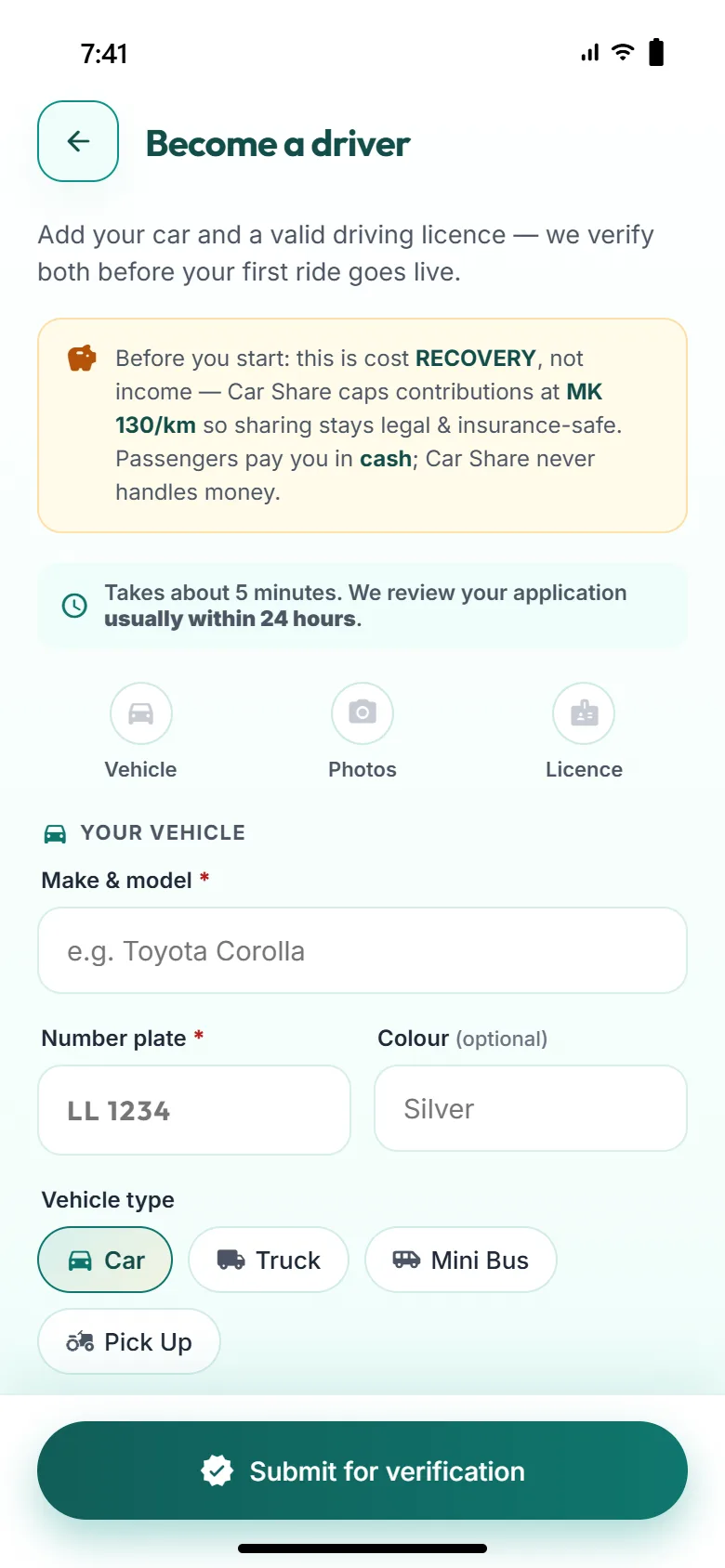
Enter the make and model, the number plate and how many seats you have for passengers. Colour is optional. Then choose the type: Car, Truck, Mini Bus or Pick Up.
Step 3
Take three photos
Front, inside and back. The number plate must be easy to read in the back photo, because passengers use it to check they have the right car.
Step 4
Upload your driving licence
Photograph the front in good light with all four corners in the frame. Your name, photo and expiry date must be readable.
Step 5
Confirm and submit
Confirm that your licence is valid and that your insurance lets you carry passengers on a cost-shared trip. Then tap Submit for verification.
Step 6
Wait for the review
Our team checks your licence, photos and plate, usually within 24 hours. We tell you the result in the app and by SMS. Until then you can’t post rides.
Step 7
Switch to driver mode
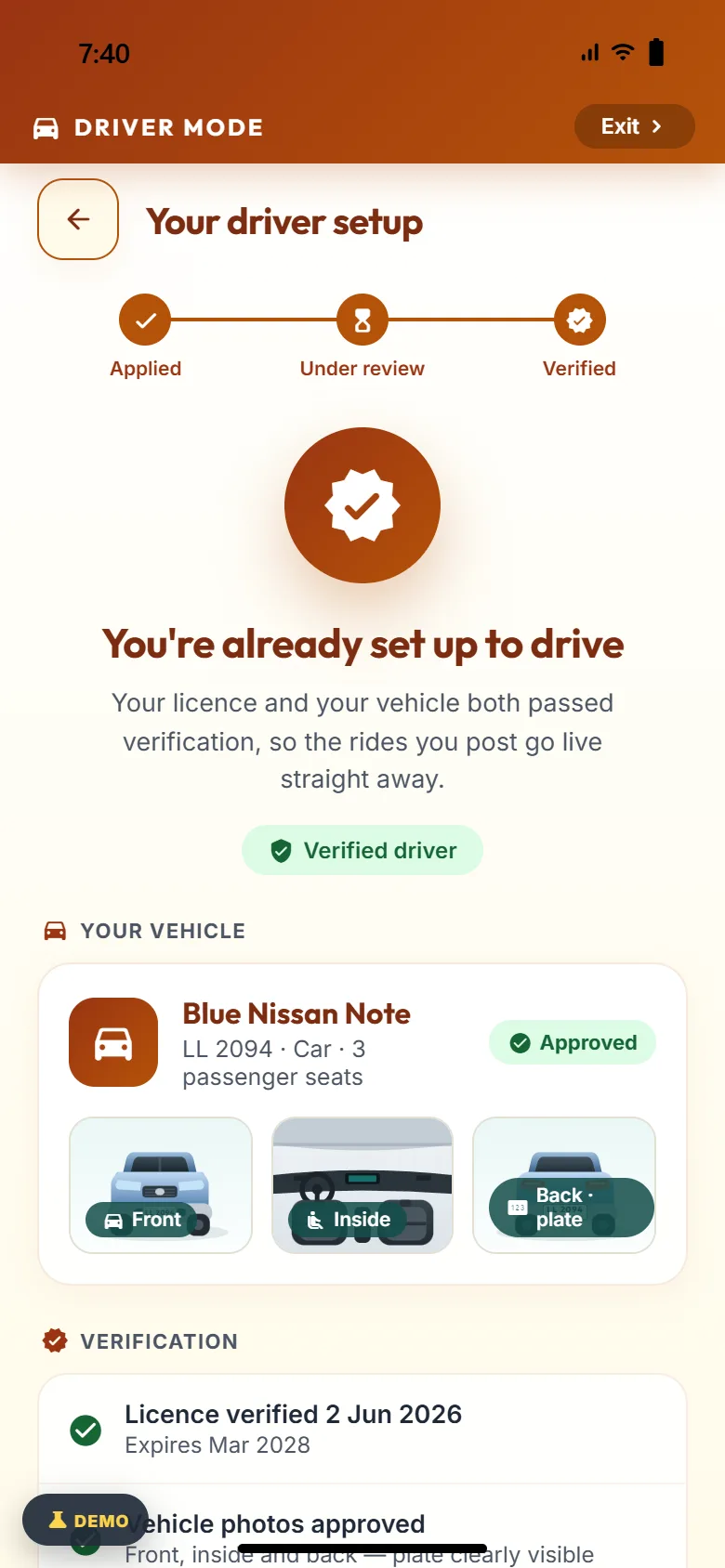
Once approved, you get the free Verified driver badge. Tap Switch to driver mode on Discover or in Menu and post your first ride.
Stage 1
Applied
Vehicle details, photos and licence submitted.
Stage 2
Under review
Our team checks them, usually within 24 hours.
Stage 3
Verified badge
Trips are published and the badge shows on your profile.
What we check
- A valid driving licence
- Vehicle photos: front, inside, plate
- The number plate matches the vehicle
- Unverified drivers’ trips stay unpublished
Not approved the first time?
You see the reviewer’s reason and how to fix it, such as a plate that can’t be read in the back photo. Retake it and send it back. We usually review again within 24 hours.
One app, whichever seat you’re in.
The app opens in user mode, where you travel as a passenger. Verified drivers can switch to driver mode at any time. The same four tabs sit at the bottom in both.
Discover
Rides offered near you and a quick From and To. In driver mode, it lists passengers asking for a ride on your route.
Post Ride
Ask for a ride on your route in user mode. Offer your spare seats in driver mode.
My Rides
Every upcoming and past trip in one list, whether you rode or drove, each with its current status.
Menu
Your profile, the safety centre, help and settings, plus the switch between user mode and driver mode.
An amber Driver mode bar stays at the top of every screen while you are in driver mode. Tap it to go back to user mode.
Riding as a passenger
Nine short steps, most of them a single tap.
Step 1
Search your route
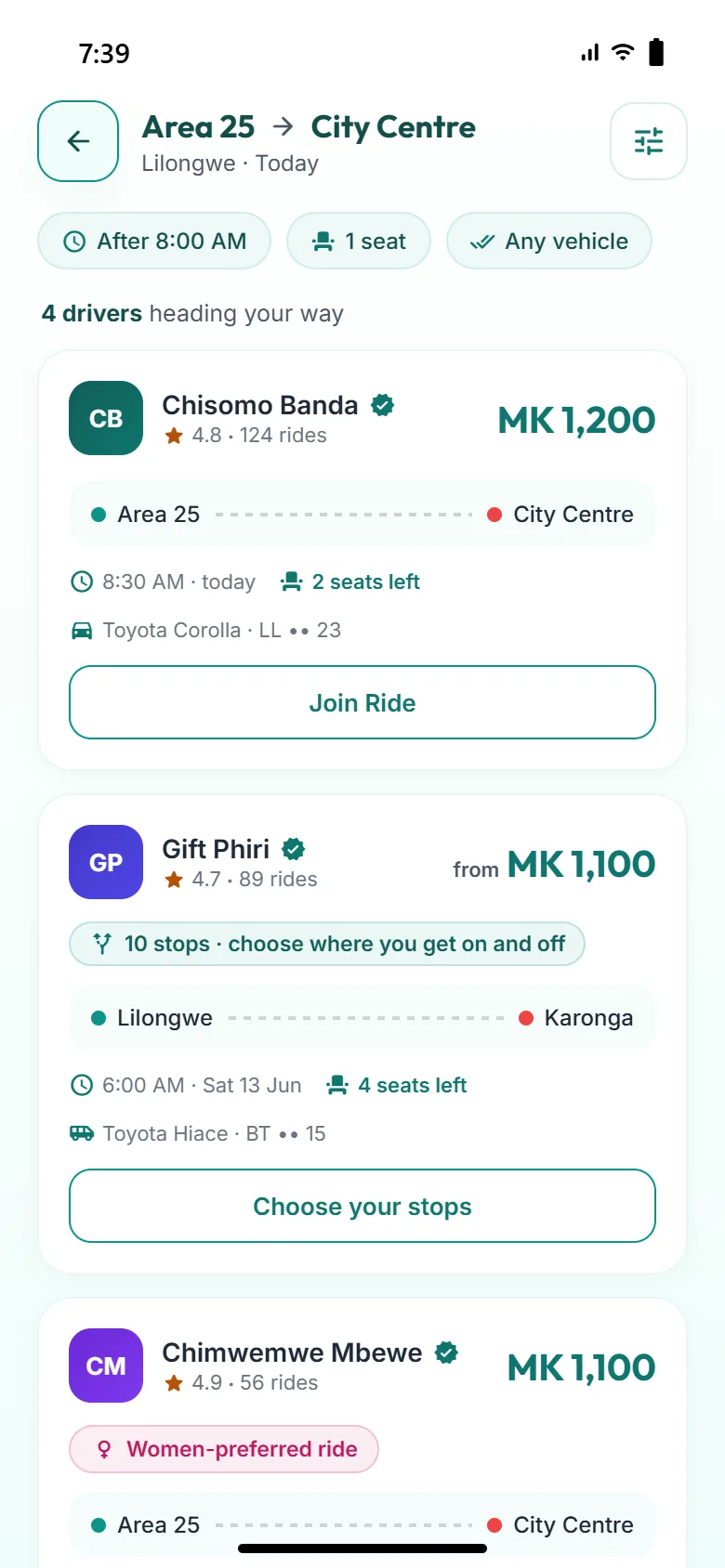
Set your From and To. Add a date, the seats you need, a vehicle type or a women-only preference.
Step 2
Compare rides
See each driver’s rating, seats left, vehicle and price per seat before you ask.
Step 3
Request to join
Choose how many seats you need and add a short message if you like. A request expires if the driver doesn’t reply within 24 hours.
Step 4
The driver accepts or declines
Your seat is confirmed only when the driver accepts. You are told either way.
Step 5
Chat opens, plate revealed
Once accepted, chat unlocks and you see the full number plate. Real phone numbers stay hidden.
Step 6
Track the car live
Watch the car on the map and get a “1 stop away” alert before it reaches you.
Step 7
Show your start code
When you board, show your 4-digit code. The driver enters it to start the ride.
Step 8
Pay in cash
Hand your share to the driver at pickup. Car Share never touches the money.
Step 9
Arrive and rate the ride
The driver marks your drop-off. Confirm the cash you paid, then leave a rating and a short review for the next passenger.
Can’t find a ride?
Open Post Ride and post a request with your route, time, seats and an optional budget. Verified drivers heading that way send you offers. Accept the one you want and your seat is booked.
Driving with spare seats
Once you are verified, post a trip whenever you have seats to spare.
Step 1
Switch to driver mode
Tap Switch to driver mode on Discover or in Menu. Not verified yet? Register as a driver first.
Step 2
Post a trip
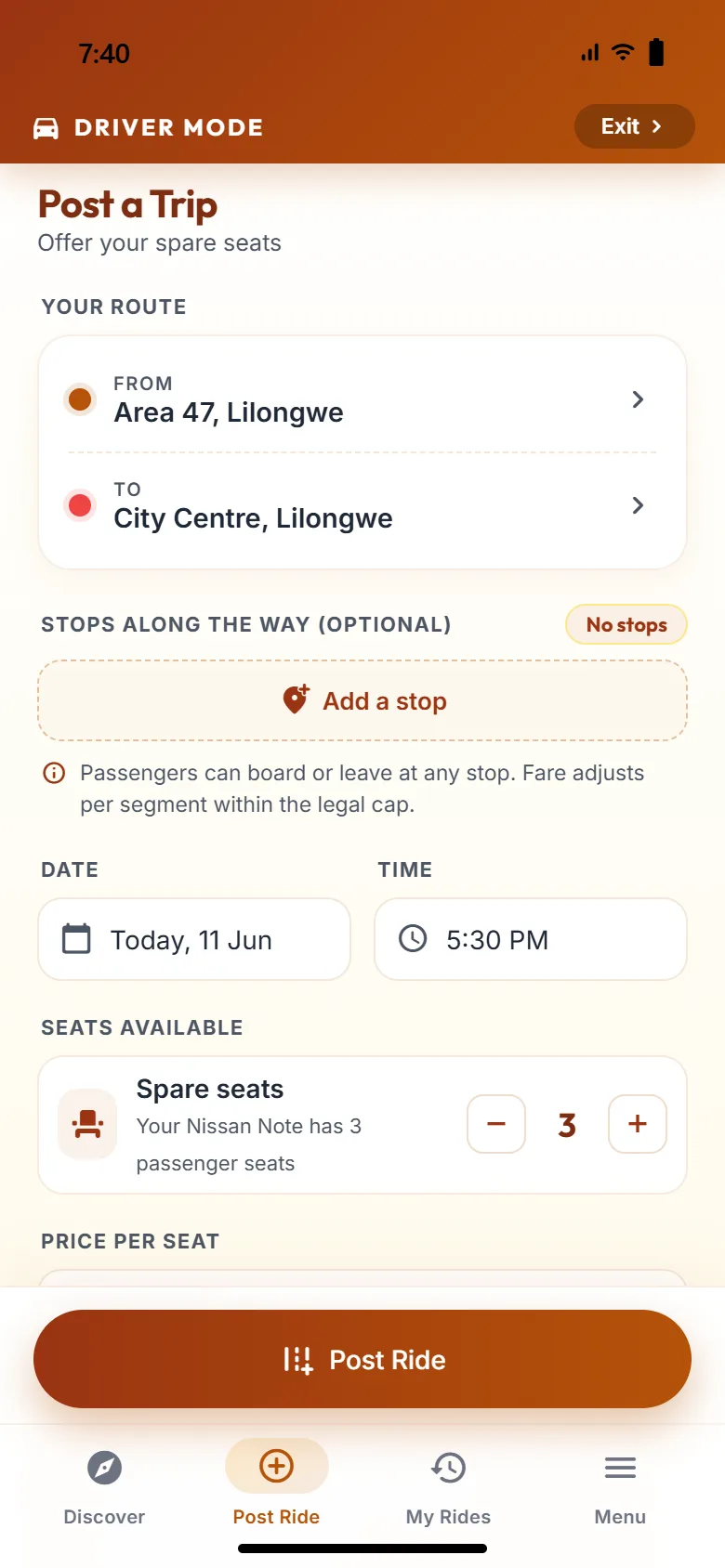
Open Post Ride. Set the route, stops, date and time, seats and a price within the cap. Or post a recurring ride, such as Mon–Fri, Area 47 → City Centre, 5:30 PM.
Step 3
Accept requests
See who wants to join, check their profile, and accept or decline each request on the ride’s own page.
Step 4 · optional
Answer a passenger’s request
Discover lists passengers asking for a ride on your route. Tap Offer a Ride, choose a time and a price within the cap, and send your offer.
Step 5
Start with the passenger’s code
Tap Start trip. Each passenger shows a 4-digit code. Enter it to start their ride, so nobody boards by mistake.
Step 6
Collect the cost share
Passengers pay you in cash at pickup. Mark each drop-off, then confirm the cash you received when you end the trip. There is no commission and nothing to withdraw.
Step 7
Keep your ledger
Your earnings ledger records each trip as a cost share, with the cap it stayed within.
Sharing costs. Not selling rides.
Car Share is peer-to-peer carpooling. A contribution covers fuel, tolls and wear on the car, split between the people travelling. Drivers must not make a profit.
Why it isn’t a taxi
- The driver is going there anyway and chooses the route.
- The contribution only covers the cost of the trip.
- Car Share connects people. It is not the carrier.
Cash only, straight to the driver
- 1You see the price per seat before you request.
- 2You pay the driver in cash at pickup.
- 3Car Share never collects, holds or processes money, and takes no commission.
Before, during and after the ride.
1. Before the ride
Verified drivers
A badge shows that licence, vehicle and plate were checked.
Phone verified by SMS
Every account is tied to a number confirmed with a code.
Ratings and reliability
Reviews and a reliability score are visible on each profile.
Women-only options
Search for women-only or women-preferred rides.
2. During the ride
Start code
The ride starts only when the driver enters your code.
Look for this vehicle
Photos of the front, inside and plate help you find the right car.
Be Safe: Notify a Friend
Share the driver’s name, vehicle and plate over WhatsApp.
SOS
One tap alerts our safety team during a ride.
3. After the ride
Rate and review
Honest ratings keep standards high for everyone.
Report a problem
Reports go to the safety team for review.
Fair consequences
Upheld reports can mean a 7-day, 30-day or permanent suspension.
Numbers stay masked
Calls and chat never reveal your real number.
In danger right now? Call 997 (police) or 998 (ambulance) in Malawi before anything else.
A few rules that keep it fair.
Car Share is for adults aged 18 and over. Everyone agrees to the same simple standards.
Cancellations
Free until 2 hours before departure. Later than that counts as a late cancellation.
Reliability score
Late cancellations and no-shows are recorded and shown on your profile.
Reports
Report a problem from any ride. The safety team reviews every report.
Suspension and appeal
Suspensions last 7 days, 30 days or are permanent. Appeals are answered within 24 hours.
The full rules are in our Terms & Conditions.

Set up a commute programme in four steps.
For employers and campuses that want fuller cars, emptier car parks and a clear picture of how their people travel.
- 01
Talk to us
Tell us about your organisation, your sites and how people commute today.
- 02
Verify your domain
We register your organisation’s email domain for the programme.
- 03
People join by email
Staff sign up with their verified work email and join automatically. No invite codes.
- 04
Get monthly reports
Rides shared, seats filled, estimated CO₂ saved and your top corridors.
Ready to share your first ride?
Scan a code with your phone camera, or tap a badge if you are already on your phone.